{% module_block module "widget_04e5abcb-fb2a-407c-b971-ceb9e714b1dc" %}{% module_attribute "child_css" is_json="true" %}{% raw %}{}{% endraw %}{% end_module_attribute %}{% module_attribute "css" is_json="true" %}{% raw %}{}{% endraw %}{% end_module_attribute %}{% module_attribute "definition_id" is_json="true" %}{% raw %}null{% endraw %}{% end_module_attribute %}{% module_attribute "field_types" is_json="true" %}{% raw %}{"glossary":"group"}{% endraw %}{% end_module_attribute %}{% module_attribute "glossary" is_json="true" %}{% raw %}{"enable":true,"term":{"columns":{"hs_child_table_id":0,"hs_is_edited":false,"hs_updated_at":1742807310057,"term":"Test management","hs_deleted_at":0,"hs_id":187776686098,"definition":"The process of planning, controlling, and tracking the testing efforts, including test case creation, execution, and defect management.","hs_initial_published_at":1742788486595,"hs_published_at":1752052419362,"link":"https://katalon.com/resources-center/blog/what-is-test-management","hs_created_at":1742788460243,"category":[{"id":184567662509,"isPublished":true,"name":"Test Management and Reporting","type":"foreignid"}],"hs_updated_by_user_id":28308776},"id":187776686098,"table_id":103933842,"table_name":"glossary"}}{% endraw %}{% end_module_attribute %}{% module_attribute "label" is_json="true" %}{% raw %}null{% endraw %}{% end_module_attribute %}{% module_attribute "module_id" is_json="true" %}{% raw %}184609727339{% endraw %}{% end_module_attribute %}{% module_attribute "path" is_json="true" %}{% raw %}"/Katalon 2024/Modules/Blog Modules/Blog Glossary Setting"{% endraw %}{% end_module_attribute %}{% module_attribute "schema_version" is_json="true" %}{% raw %}2{% endraw %}{% end_module_attribute %}{% module_attribute "smart_objects" is_json="true" %}{% raw %}null{% endraw %}{% end_module_attribute %}{% module_attribute "smart_type" is_json="true" %}{% raw %}"NOT_SMART"{% endraw %}{% end_module_attribute %}{% module_attribute "tag" is_json="true" %}{% raw %}"module"{% endraw %}{% end_module_attribute %}{% module_attribute "type" is_json="true" %}{% raw %}"module"{% endraw %}{% end_module_attribute %}{% module_attribute "wrap_field_tag" is_json="true" %}{% raw %}"div"{% endraw %}{% end_module_attribute %}{% end_module_block %} Test management is the conductor of the entire testing process. It ensures that individual testing activities seamlessly work together.
Test management is the conductor of the entire testing process. It ensures that individual testing activities seamlessly work together.
In this article, we’ll explore the concept of test management, why it’s important, and test management best practices.
What is test management?
Test management is the practice of organizing and controlling the testing process to prepare for the test execution phase.
Activities in test management include:
Planning: Defining objectives, scope, and strategies to guide the testing process.
Organizing: Categorizing test cases based on requirements
Configuring: Preparing the necessary hardware and software for testing
Executing: Running tests and capturing results in a controlled environment.
Tracking: Monitoring progress, managing defects, and ensuring alignment with goals.
Reporting: Reviewing results, generating test execution reports, and identifying areas for improvement.
Benefits of test management
Test management brings the following benefits to the team:
Systematic testing: test management structures your activities into a unified system and brings consistency.
Enhanced collaboration: test management tools centralize test documentation, making it easier for team members to share updates, track progress, and work together seamlessly.
Resource optimization: test management ensures that resources such as time, tools, and personnel are used optimally so critical areas receive appropriate attention.
The importance of test management as QA team grows
In the beginning, testing is informal. It’s a handful of engineers and testers, hacking features together, debugging as they go. Therefore, Google Sheet is usually enough to manage tests.
However, as headcount grows, complexity also scales. You go from a couple of testers to dozens, and suddenly you're dealing with overlapping environments, parallel test execution, test case reuse, and delivery pipelines across multiple teams.
Cristiano Caetano compares the need for a dedicated test management system with the need for a CRM:
If you're a small startup or an early-stage company with just a few people, you don't need a CRM tool yet. You don’t need it to manage leads, build relationships, or track renewals because you might only have 10 to 15 customers.
But as you grow, bring on more people, and deal with longer sales cycles, suddenly having a tool to manage your sales becomes a must-have. It’s no longer optional. You can’t rely on spreadsheets or people’s memory.
Cristiano CaetanoVP of Product
Here are key indicators that signal it's time to upgrade from spreadsheets:
Increased Complexity: Your team deals with multiple testing environments, parallel workflows, or cross-team collaboration.
Scalability Issues: Maintaining and updating spreadsheets becomes cumbersome, error-prone, and inefficient.
Limited Visibility: Difficulty providing accurate, real-time updates on testing status and quality metrics to stakeholders.
Data Inconsistency: Repeated issues with data reliability and version control as manual entry errors become common.
Once your team grows beyond a handful of testers and your projects involve more complexity, moving to a dedicated test management platform is crucial, said Cristiano.
Test Management Process
1. Test Planning
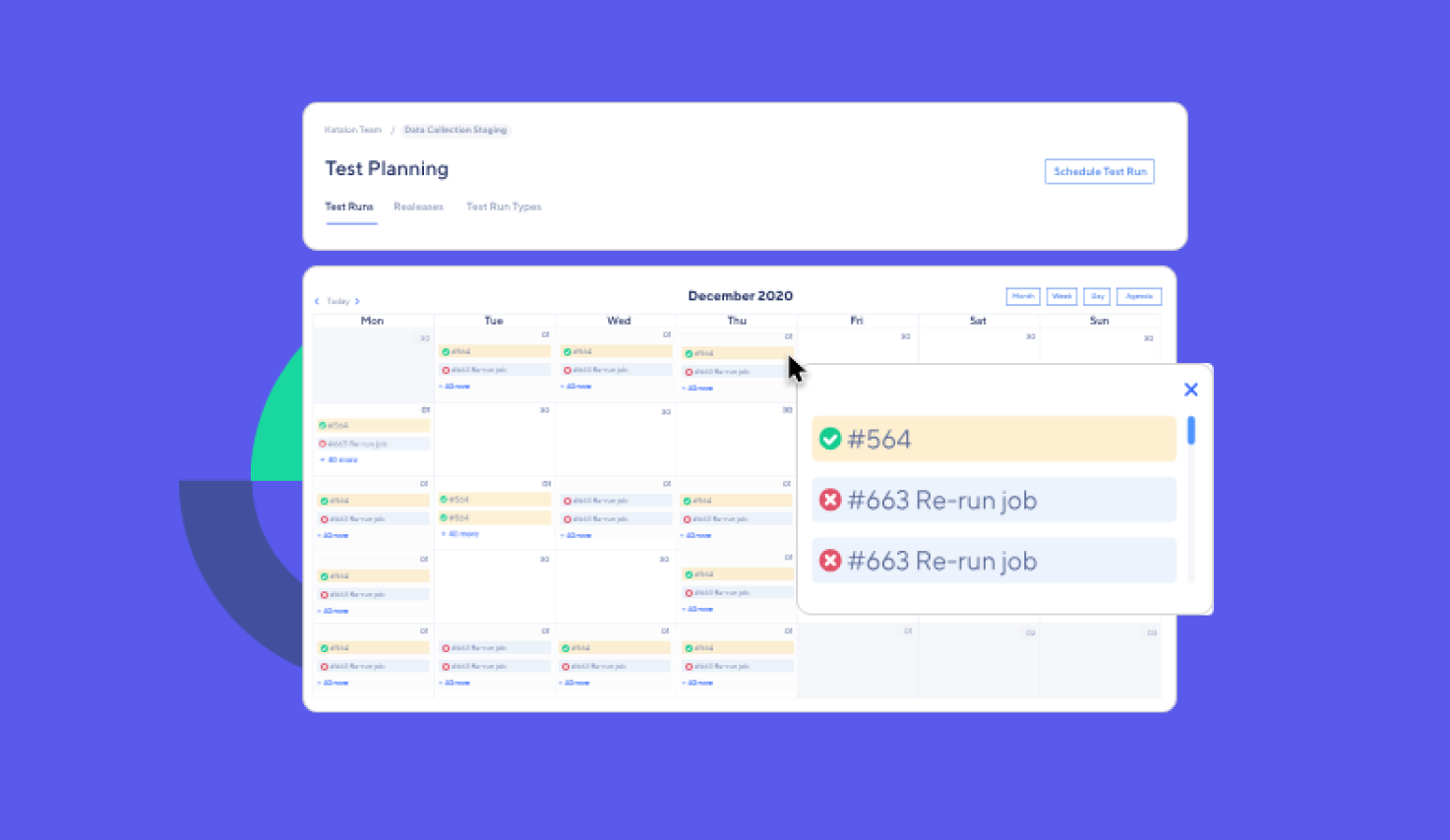
Think of this as your road map. Without a plan, testing can feel like wandering in a maze. During this phase, you’ll:
Define Objectives: What are you testing and why?
Scope Out the Work: Identify what’s in-scope and out-of-scope.
Select Test Types: Functional, regression, performance, or security—what’s needed?
Allocate Resources: Assign tasks based on skillsets and availability.
Create a Schedule: Deadlines are your compass; ensure they’re realistic.
After designing and creating test cases based on the plan, the team moves on test case management, which is about categorizing them into the correct taxonomies.
Here are some approaches to test case organization:
Severity (High - Medium - Low impact to system performance/security)
Priority (High - Medium - Low urgency)
Root Cause (Coding Error, Design Flaw, Configuration Issue, or User Error, etc.)
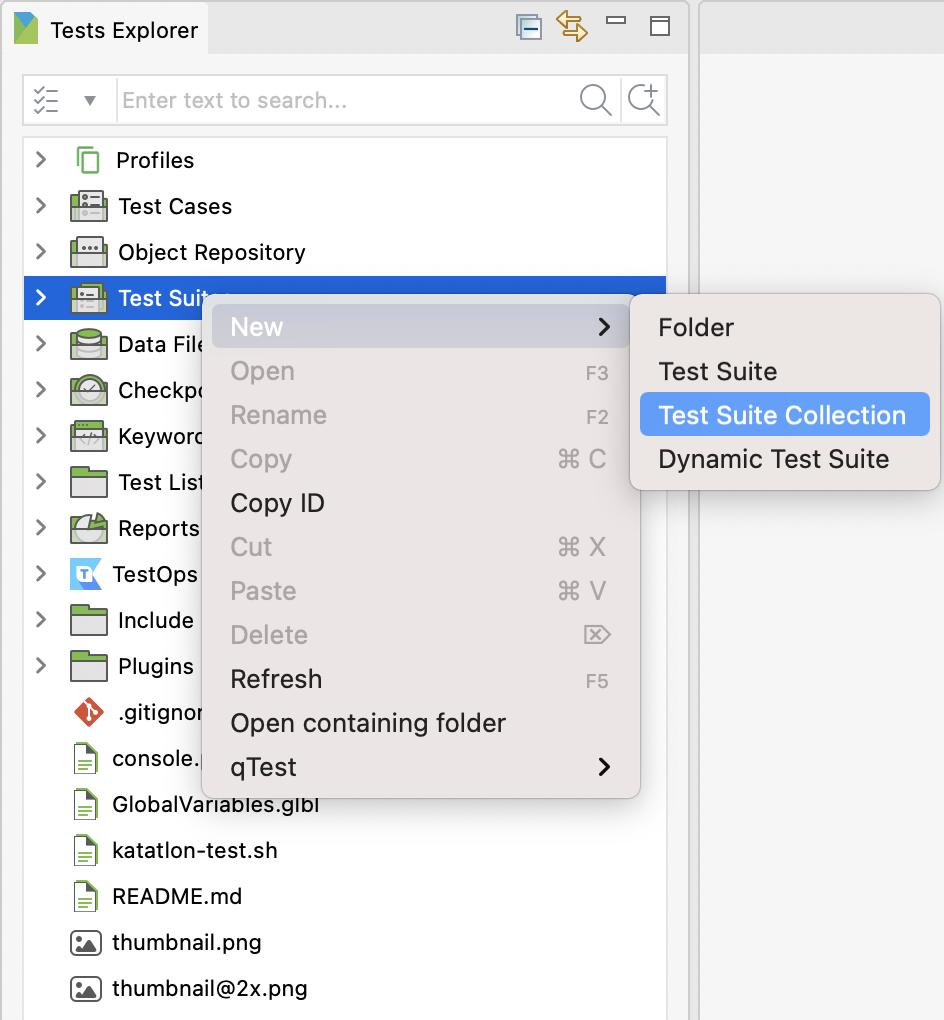
Using the logic above, you can group your test cases into Test Suite (a set of related test cases) and further combined into Test Suite Collection (a group of Test Suites) in Katalon Studio.
3. Test Environment Configuration
A test environment is a carefully designed setup that mimics real-world conditions where your software will operate. It is everything the software needs to run, like hardware, software, network configurations, and even test data.
Mirror Production: Ensure staging or test environments closely resemble the live setup.
Set Up Tools: Install required software, frameworks, and monitoring tools.
Prepare Test Data: Populate databases with dummy data that mimics real-world scenarios.
Check Connectivity: Ensure APIs, third-party services, and integrations are functional.
Here are the Top 5 test management tools widely used by QA teams in 2025:
Katalon TestOps– Scalable test management with deep integration into automated pipelines, CI/CD, and analytics; ideal for teams maturing into TestOps practices.
TestRail: A highly configurable and popular tool for managing test cases, runs, and plans; known for its simplicity and integration capabilities.
Xray for Jira: Embedded inside Jira, it supports both manual and automated testing with native requirement traceability; great for teams already using Atlassian tools.
Zephyr Enterprise/Scale: Offers robust test planning and traceability features for enterprise QA teams; integrates well with Jira and DevOps toolchains.
PractiTest: A data-driven test management platform focused on visibility and collaboration across QA, Dev, and business stakeholders.
How to automate test management?
Automated test management is the process of organizing, executing, maintaining, and analyzing automated test cases using a centralized platform or framework rather than relying on scattered scripts or manual tracking methods.
An automated test management system can do the following:
Test Case Organization: Tests are grouped by feature, module, or requirement, often with metadata (e.g. tags, priority, coverage level).
Test Suite Orchestration: Tools schedule and execute test suites across different environments, or even in the CI/CD pipelines.
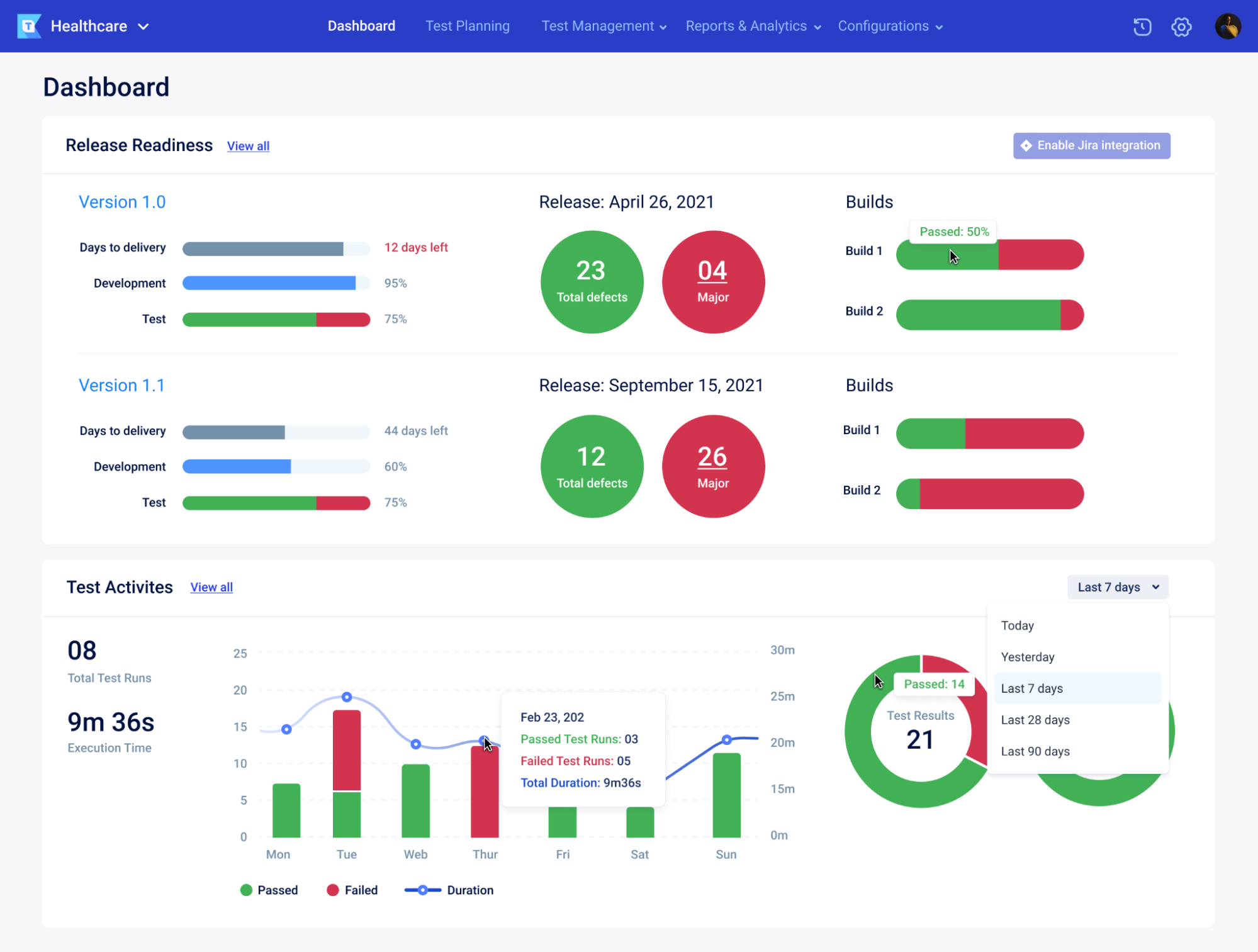
Result Aggregation & Reporting: Instead of checking logs manually, automated test management platforms consolidate results from multiple frameworks (e.g. Selenium, JUnit, TestNG) into dashboards that the necessary metrics.
Test Data & Environment Control: Automation platforms often integrate with data management and environment provisioning tools to ensure each test run is repeatable and isolated.
Maintenance & Versioning: Keeping automated tests up to date is critical. Automated test management systems help track test history, flag outdated or flaky tests, and manage versions across releases or branches.
Metrics for test management
Several key metrics for test management are:
Test Case Execution Rate – Percentage of planned test cases executed within a given cycle or sprint.
Test Pass Rate – Ratio of passed test cases to total executed test cases, indicating current stability.
Defect Detection Rate – Number of defects found per test case or per test run.
Defect Leakage – Number of defects found in production vs. those found in testing, a measure of test effectiveness.
Test Coverage – Percentage of requirements, code, or user flows covered by test cases.
Automation Coverage – Proportion of test cases automated vs. total test cases.
Test Case Effectiveness – Percentage of test cases that led to defect discovery.
Test Execution Time – Total time taken to run test suites; useful for identifying bottlenecks in pipelines.
Flaky Test Rate – Percentage of tests that fail inconsistently, undermining confidence in test results.
Test Suite Maintenance Rate – Frequency of updates to existing test cases; high churn may indicate instability or poor test design.
Let's meet Mush Honda in the AutomationDecoded series who's going to share the top test management metrics he used to track the success of his test management activities:
Conclusion
Effective test management is about enabling quality at scale. As teams grow and projects become more complex, managing tests with clarity becomes critical. A well-structured test management approach ensures the right tests are run, the right data is captured, and the right insights are delivered so teams can move faster with confidence.
With platforms like Katalon Studio and TestOps, QA teams gain the visibility, control, and scalability needed to manage the full testing lifecycle without compromising speed or coverage.
Frequently asked questions
It’s the process of planning, controlling, and tracking testing efforts, including test case creation, execution, and defect management.
Planning, organizing test cases, configuring environments, executing tests, tracking progress/defects, reporting results, and identifying improvements.
As teams and complexity scale, spreadsheets become error-prone and lack real-time visibility; dedicated platforms help handle multiple environments, parallel workflows, reuse, and stakeholder reporting.
Test planning, test case management (categorization), test environment configuration, test data management, defect tracking, and test reporting.
Examples include execution rate, pass rate, defect detection rate, defect leakage, test coverage, automation coverage, test execution time, flaky test rate, and maintenance rate.
Huyen Nguyen is an experienced technical writer in the software testing industry. With strong technical expertise and a deep understanding of Katalon products, she creates clear, practical guides that support testers at every skill level.
Generate your first test case before you finish this article.Test management and execution. Manual or Automated. One platform, no syncing results between tools.



 Cristiano CaetanoVP of Product